VOICE INVOICING FOR UK TRADES

Speak the job.
Send the invoice.

Say who it's for, what you did and what you're charging. Check your draft, then send a smart PDF with your business details.

✓5 documents free · No card required

Use your browser or the iPhone app. Same account, wherever you work.
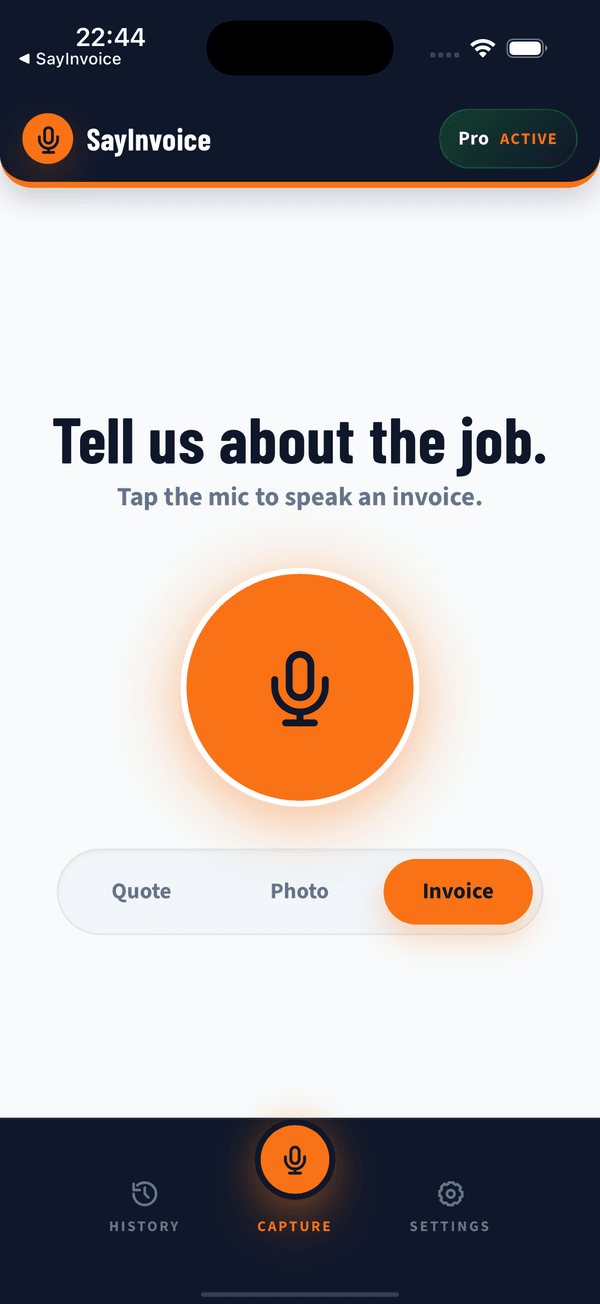
SayInvoice Capture screen with quote, photo and invoice choices
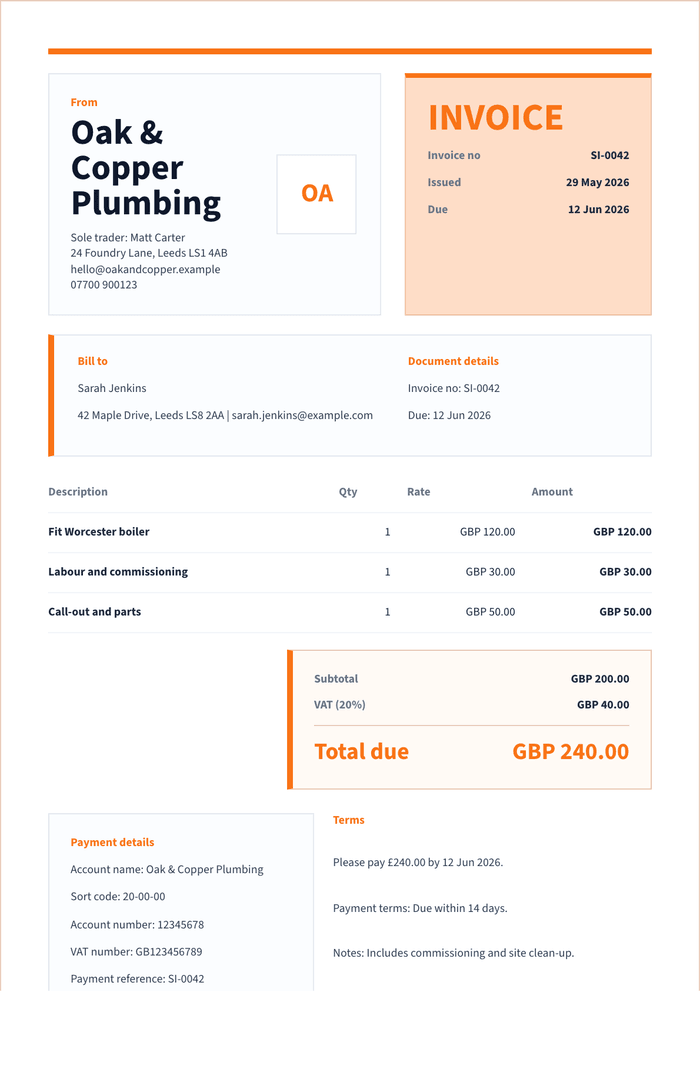
Finished fictional plumbing invoice with job details, VAT and payment terms
From your words to a finished invoice
Real app screens. Fictional example details.
Built for trades across the UK
Plumbers•Electricians•Builders•Carpenters•Landscapers
Before the paperwork follows you home

Say it. Check it. Send it.

  1. Tell us about the job

    Speak or type the customer, work and price. No template to wrestle with.

  2. Give the draft a check

    Check names, prices and VAT. Your saved business and payment details go on each draft.

  3. Send it your way

    Share by WhatsApp or email, or save the PDF. You choose the recipient and complete the send.

Try a sample invoice hereNo account needed. Type an example or use your mic.
NEW INVOICE

Try it live.

Tap the mic. Say the job.

Audio isn’t saved

Listening. Tap the mic when finished.

Try: “Invoice Sarah £120 labour, £35 parts, plus VAT.”

SayInvoice Demo

Test Yard, 24 Example Street, Birmingham B1 1AA

INVOICE

DEMO-0042

Bill to

Demo Client
One detail needs your check

Check this field, then create the customer PDF.

VAT£39.00
Total due£234.00
Customer PDF readyCorrected and checked by you
SayInvoice DemoPDF

For Demo Client

Radiator repair£195.00
Total due£234.00
You choose how to share it

SayInvoice opens your choice. You choose the recipient and complete the send.

Nothing has been sent.

Create invoices in your own name, with your logo, payment terms, tracking and reminders.

No card required

Building your invoice

Turning your voice note into a professional draft…

Recommended by trades

What tradespeople say

fFacebook recommendation
“Saves me a good amount of time as I walk round the projects and speak into the app. It logs it all for me and the AI is really helpful.”
H S Plastering11 June
fFacebook recommendation
“Makes working out quotes and invoicing really simple, and looks smart and professional when I send it to clients.”
Harry Smith11 June
fFacebook recommendation
“It saved me a lot of time on my business admin. So easy to use.”
L.C BrickworkBeta tester · 25 June

Use the arrows to browse, or swipe on your phone.

Keep the whole job together

A photo for the job.
A home for the receipt.

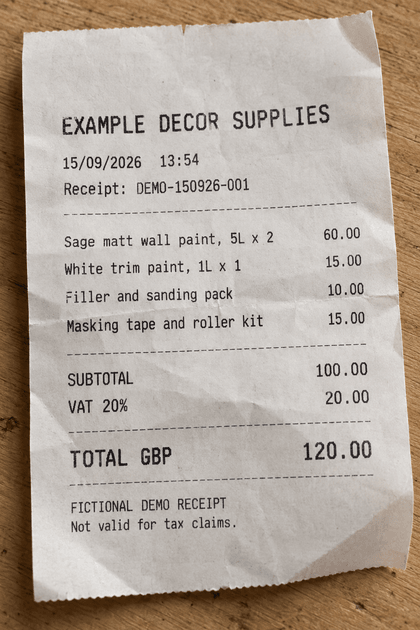
Photograph a receipt. Check the suggested supplier, date, total and VAT, then save the cost with the job.
  • Receipts stay private, not on your customer's invoice.
  • Choose which job photos to include on the customer PDF.
  • Keep checked costs ready for your accountant.
See how photos and costs work
Illustrative fictional decorating receipt, £120 including VAT
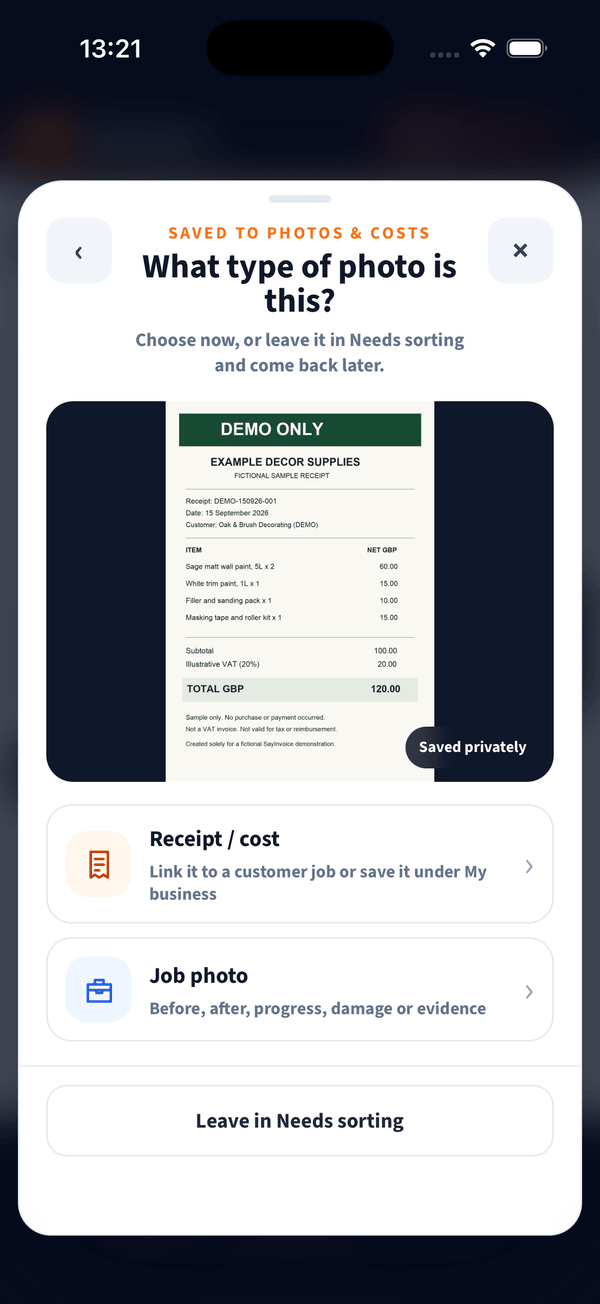
Real SayInvoice screen choosing receipt or job photo, with receipt costs kept private
Fictional demo receipt shown in the real app.
Customers, site notes and accepted quotes
Remember your customers

Reuse saved details and check them before sending.

Keep site notes private

On Pro, save access details without adding them to a customer PDF.

Turn a quote into an invoice

With Pro, convert accepted work into a separate draft.

Less chasing, less guessing

Know what's paid.
Know what needs a nudge.

See draft, sent, paid and overdue invoices together. When a customer pays, record cash, bank transfer or another payment method.
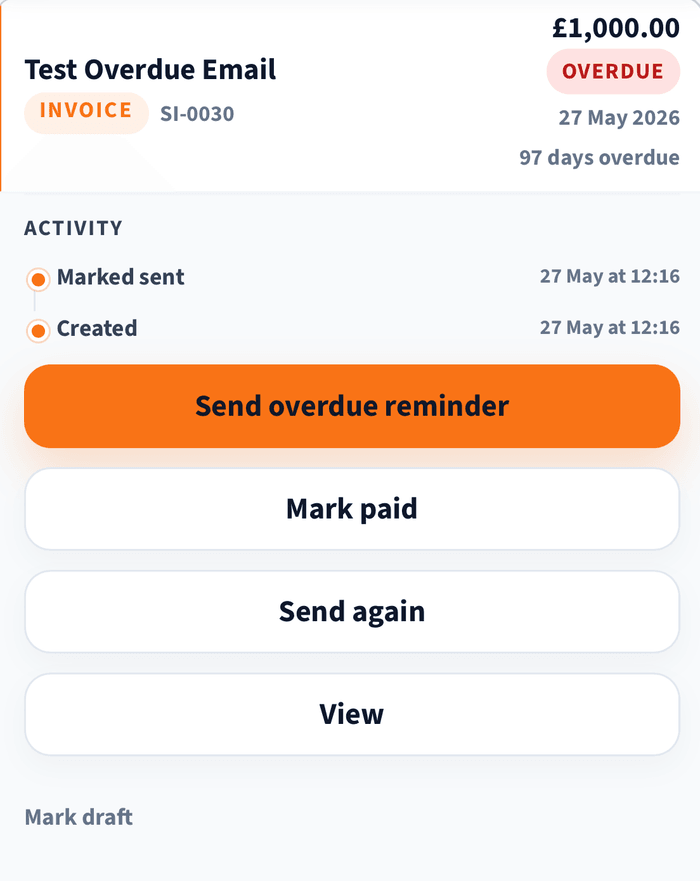
  • Prepare a polite follow-up, ready for you to review and send.
  • Review the month's payments and overdue work with Pro.
Payments and reminders, explained
Real SayInvoice History detail showing a fictional overdue invoice and payment status
Real app detail with fictional example records.
Less retyping at the other end

Make your accountant's
day a little easier.

Clean records for your accountant, with the paperwork kept alongside them. Choose the route that suits your business.

Download an accountant pack

Choose a workbook, CSV pack or PDF pack, with matching invoice PDFs and confirmed receipt photos.

What goes in the pack?

Invoice rows, line items, checked costs, recorded payment methods, VAT, expected CIS, deposits and attention checks. Prepared for review, not tax filing.

Connect your own Xero business

Paid members can connect their own Xero organisation. Choose invoices, checked receipts and attachments, then review and export drafts.

Payments and connection availability

Optional payment recording needs separate review and confirmation of the amount, date and receiving account. Marking paid in SayInvoice alone does not create a Xero payment. New connections are subject to availability. SayInvoice does not collect money, reconcile your bank or file tax returns.

See export options

Pause/resume and CSV packs are on web/PWA now. iPhone availability depends on your installed version. See what's available on each platform
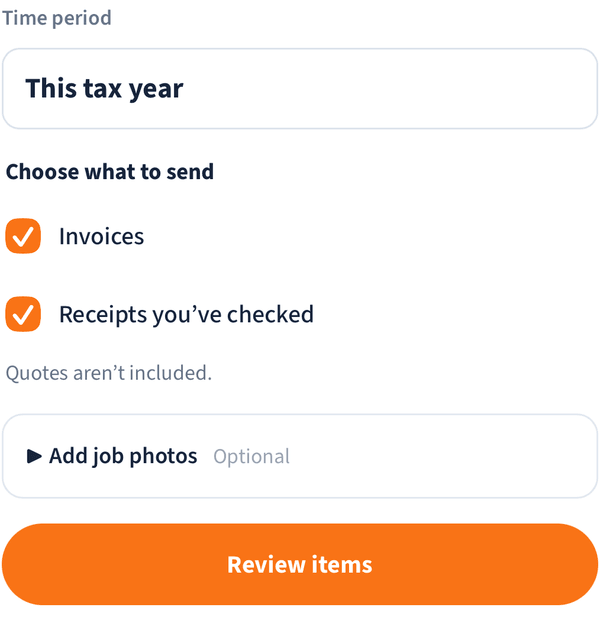
Real SayInvoice Xero selection detail, with invoices, checked receipts and optional attachments
Real app detail. Choose records for Xero, then review.
Simple pricing

Start with 5 free documents.

No card required. Choose a plan only when you are ready to continue.

Invoice Only

£14.99 / month

For straightforward voice invoicing.

  • Unlimited invoices
  • Your business details on each PDF
  • Invoice status and payment records
Create your first invoice free

Both paid plans include: saved customers, Photos & Costs, accountant packs and Xero export, subject to connection availability.

FAQ

Common questions

What if SayInvoice mishears me?

You always review a clean draft before sending. Correct any word or number directly in the preview.

Does it create quotes as well as invoices?

Yes. Pro includes quotes and lets you convert an accepted quote into an invoice without starting again.

Can I keep receipt and job photos?

Yes. Receipt photos stay private, while you choose whether a job photo appears on a customer PDF. Suggested receipt details always need your check.

What happens after my 5 free documents?

Choose a paid plan to continue creating documents. You will not be charged automatically and no card is required to start.

Can I cancel at any time?

Yes. There is no long-term contract.

Refer a friend, earn a free month

They get 50% off their first month. You earn a free month when they become a paying customer.

Paid member benefit

Your first invoice starts here.

Say the job. Check the draft. Send it. Leave less paperwork for tonight.

Create your first invoice free →
✓5 documents free · No card required